Prompt
# Portal brief

Generate a developer portal for a fictional payments API platform,
"Northwind Pay". Purpose: a docs-first portal that combines light
marketing pages with deep technical documentation and an interactive,
spec-driven API reference. Audience: integrating developers first,
technical writers and engineering leads second.

## Brand & theme
- Tone: confident, plain-spoken, engineer-to-engineer. No hype adjectives.
- Palette: near-black background for the header and footer, off-white
  content canvas, one saturated accent (deep indigo) for links, active
  nav state, and primary buttons. One warm secondary accent for callouts
  and kickers only.
- Type: geometric sans for headings, high-legibility sans for body,
  monospace for code, inline literals, and small uppercase section
  kickers. Section kickers are prefixed with a slash, e.g. "/ concepts".
- Dark mode: full parity, toggle persisted per visitor.
- Density: generous vertical rhythm on marketing pages, tighter and
  more utilitarian in docs.

## Site map

Marketing / top-level pages
- Home
- Products index + one page per product (5 products; one is an
  open-source CLI, one an internal service catalog, one the hosted
  reference renderer, one a customer-facing developer hub, one an API
  monitoring service)
- Pricing (3 tiers + enterprise, feature comparison matrix)
- Customers index + 3 case-study pages
- Learn (tutorials and standards explainers, card grid)
- Blog (index + post template)
- About, Careers, Contact sales
- Legal & trust: security, terms, SLA, DPA, privacy notice, status link

Header navigation
- "Products" as a mega-dropdown: 5 product cards, each name plus a
  one-line descriptor, and a separate "Open source tools" row of plain
  text links beneath.
- Docs, Learn, Customers, Pricing as direct links.
- Right cluster: global search trigger with ⌘K hint, "Log in" text link,
  primary CTA button.
- Sticky on scroll, condensed height after the first viewport.

Footer: five columns — Products, Explore, Resources, Tech & legal,
Contact (social icons) — plus a copyright line.

## Home page section order
1. Hero: value claim of eight words or fewer, one supporting sentence,
   primary CTA plus secondary "Get started guide" link into docs.
2. Metric strip: four figures with large numerals and small captions.
3. Customer logo wall, monochrome, slow marquee.
4. Origin narrative block, kicker + short paragraph + repo star link.
5. Three-pillar value grid: Onboarding, Collaboration, Governance.
6. Product showcase: one alternating row per product — kicker, headline,
   two-sentence body, arrow link, and a cluster of small captioned
   feature cards.
7. Testimonials: three quote cards with avatar, name, role, company mark.
8. Audience grid: Developers, Engineering leaders, Product managers,
   Technical writers — icon plus one-line benefit each.
9. Closing CTA band listing product wordmarks.

## Docs configuration

Layout: three-column docs shell — sidebar nav, centered content with a
~46rem measure, right-hand "On this page" TOC with scroll-synced active
heading. Sidebar collapses to a drawer and the TOC to a floating control
on narrow viewports.

Docs home (/docs): one-line welcome, a single prominent "Get started"
card, then card grids under the headings Products, Open source, Learn.

Sidebar tree:
- Get started
  - Quickstart (five-minute happy path)
  - Install the CLI
  - Authentication and API keys
  - Your first request
  - Sandbox vs production
- Concepts
  - How the API is structured
  - Resources and identifiers
  - Idempotency
  - Pagination, filtering, sorting
  - Rate limits and quotas
  - Errors and error codes
  - Versioning and deprecation policy
  - Webhooks and event delivery
- Guides
  - Accept a one-time payment
  - Store a payment method
  - Handle refunds and disputes
  - Verify webhook signatures
  - Migrate from v1 to v2
  - Go-live checklist
- API reference (grouped by spec tag: Customers, Payments, Refunds,
  Webhooks, Reports)
- SDKs and tools (JavaScript, Python, Go, CLI, editor extension,
  API client collection)
- Configuration
  - Full option reference: name, type, default, description
  - Theming, redirects, search, analytics, deployment
- Reference (glossary, changelog)
- Support (FAQ, troubleshooting, contact)

Page template features, applied portal-wide:
- Breadcrumb, H1, relative "last updated" stamp.
- Per-page utility menu: copy page as Markdown, view raw .md route,
  hand the page to an AI assistant, connect an editor over MCP.
- Anchored headings, deep-linkable, anchor icon on hover.
- Callouts in four severities: note, tip, warning, danger.
- Tabbed code blocks per language, with filename label, copy button,
  and line highlighting.
- Parameter tables with expandable nested rows.
- Previous / next pager and a "Was this helpful?" feedback control.
- Reusable content blocks so shared prose is single-sourced.

## API reference behavior
- Generated from an OpenAPI description; treat the spec as the source of
  truth for endpoints, schemas, and examples.
- Three-pane endpoint layout: navigation, description and parameters,
  and a right rail with request samples plus collapsible response
  examples per status code.
- Auto-generated code samples in at least five languages.
- Schema viewer that handles nesting, arrays, enums, and polymorphism
  with discriminator awareness; every schema node individually linkable.
- Security schemes surfaced per operation.
- A "try it" console against a mock server, and a changelog diffing
  spec versions.
- Version switcher for the API and a separate one for docs releases.

## Portal-wide capabilities
- Search across marketing pages, guides, and the reference, with
  keyboard navigation, grouped results, and recent queries.
- Path-based localization scaffold for two locales.
- Role-gated sections, so partner-only guides can be hidden from
  anonymous visitors.
- Redirect map for legacy URLs.
- SEO: per-page metadata, canonical URLs, social cards, sitemap,
  structured data on articles.
- Accessibility: WCAG 2.1 AA, visible focus rings, skip-to-content,
  reduced-motion handling for the marquee and reveal animations.
- Content authored in Markdown with component tags; navigation, theme,
and redirects declared in configuration rather than hardcoded.- What worked well.
- Landing page is great
- What didn't - anything broken, wrong, or annoying.
Not all project content was translated to the language configured in l10n
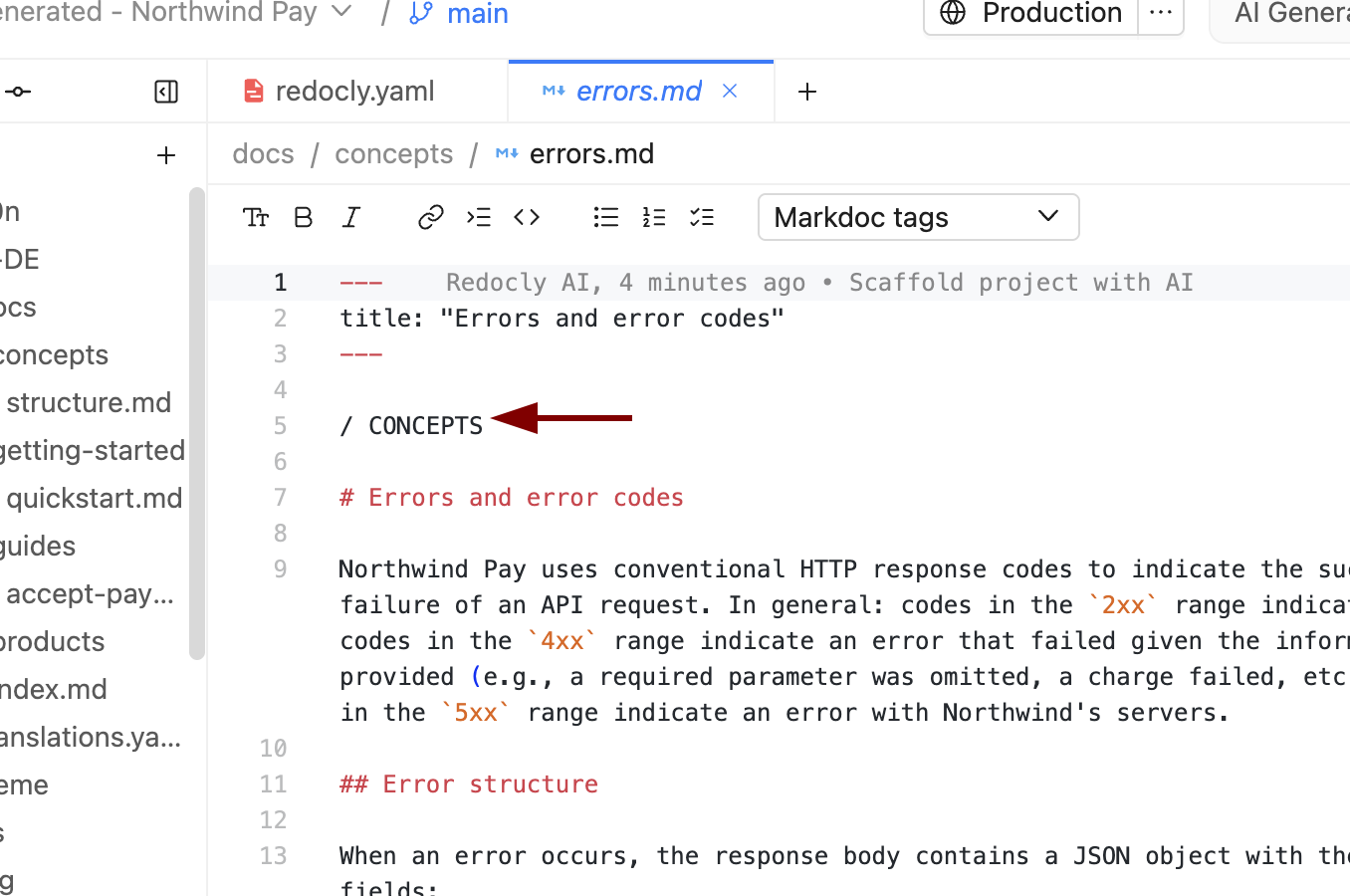
Some icon names are made up (
layerson the image)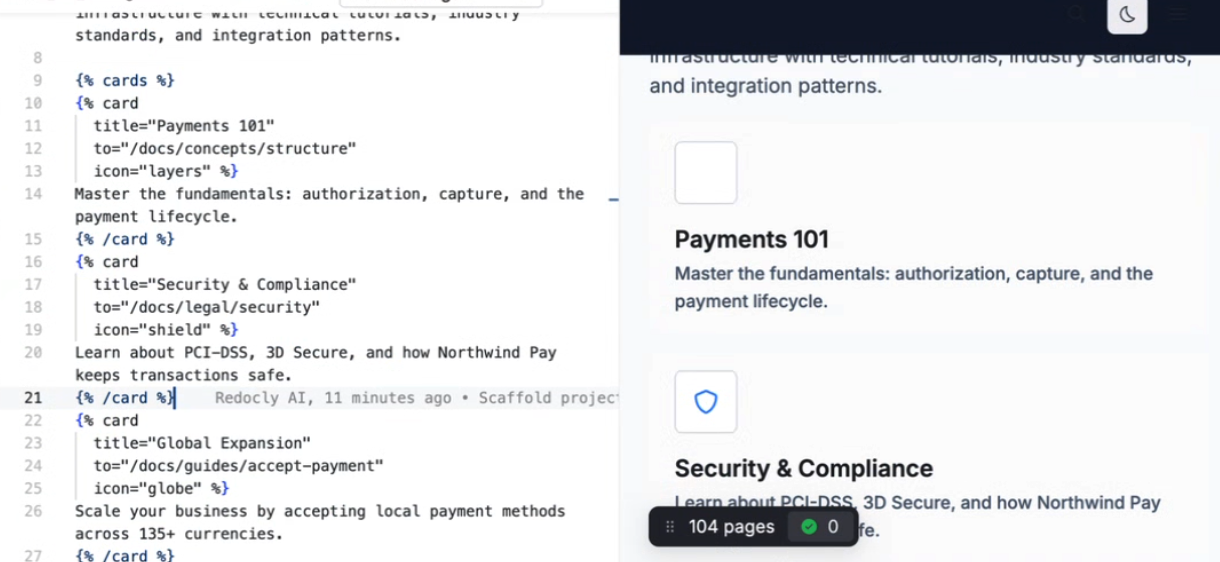
The
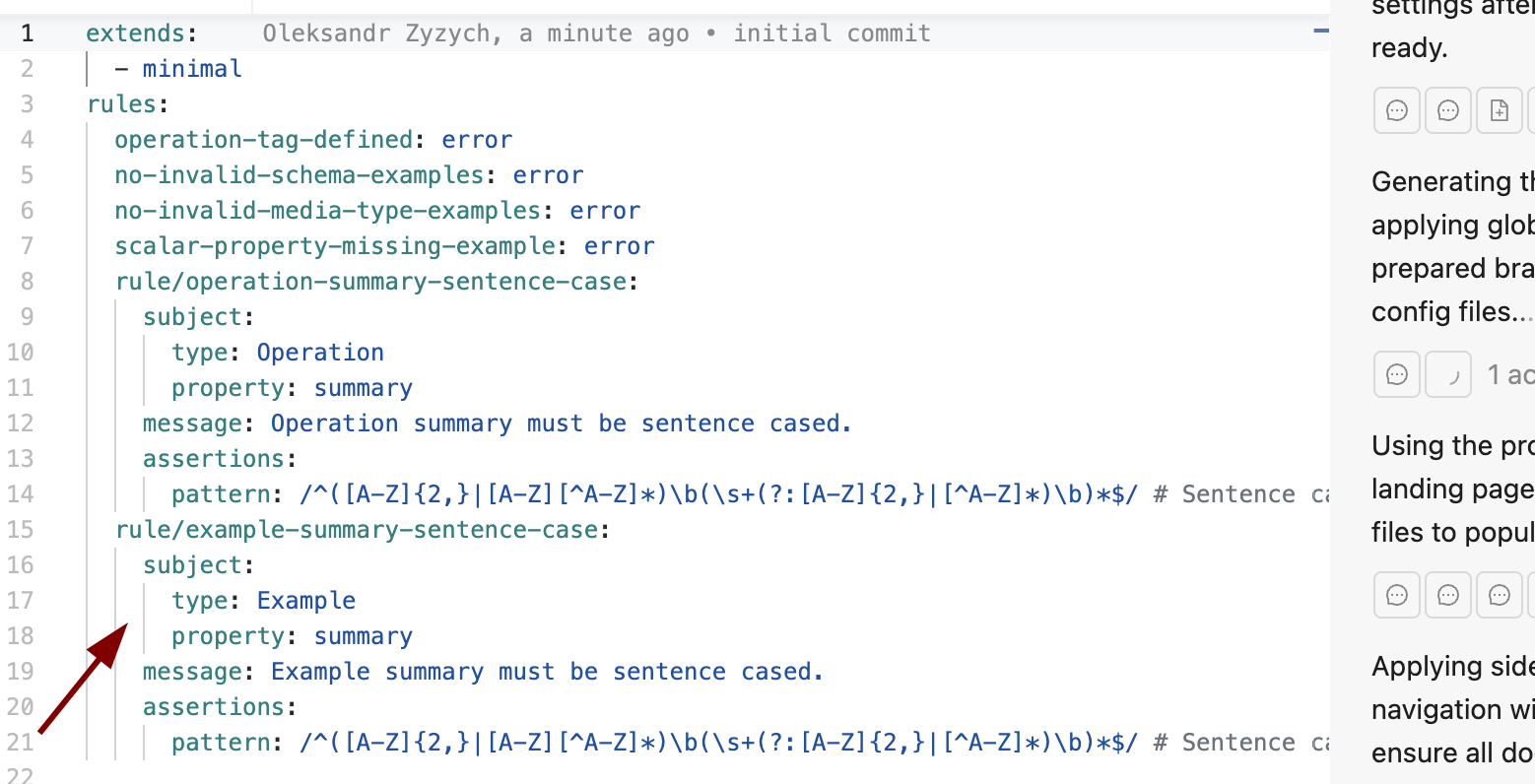
ruleswere added without any need for them (no API files):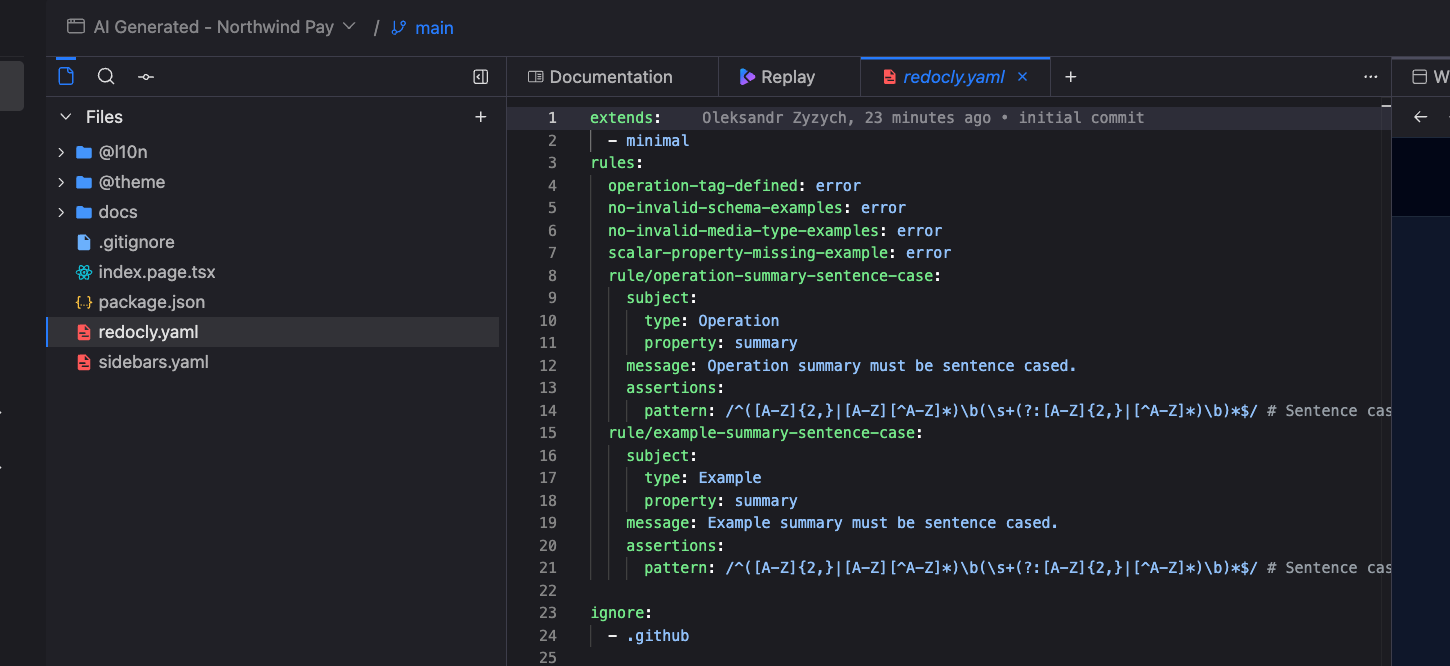
The localization with German language was added even though we didn't ask for it
The icon near feature keeps spinnning
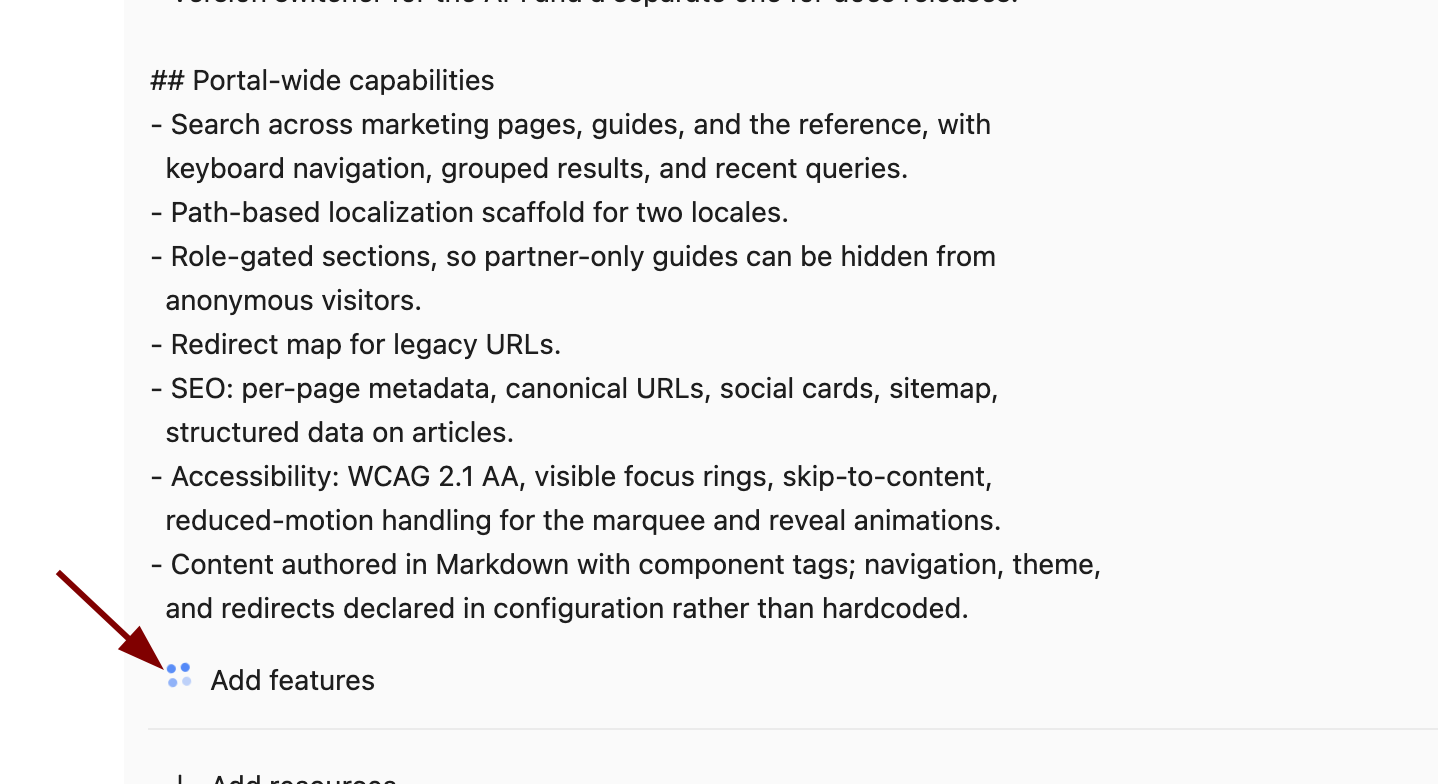
Prompt
Create a project like ikea- What worked well.
- What didn't - anything broken, wrong, or annoying.
- First time we got an error
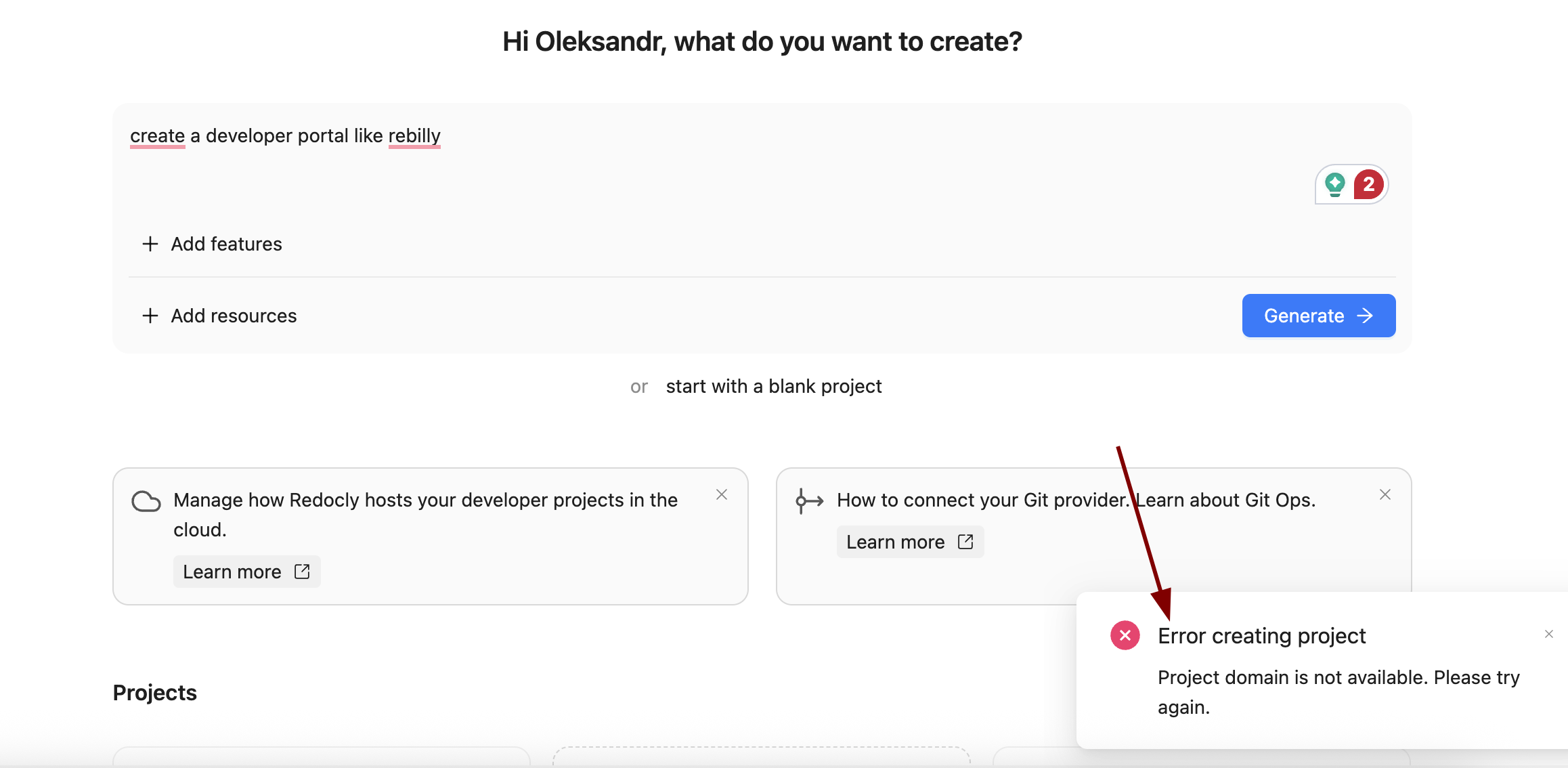
- First time we got an error
Prompt
can you create a website like SpaceX, please- What worked well.
- The files that we provided were used
- What didn't - anything broken, wrong, or annoying.
- Big lint ignore file was added
- The German language was chosen as the one to translate to
- The icon
pushedwas used for a card but it is not supported (font awesome has the icon)
- Big lint ignore file was added
Did it build and preview on the first open? - yes Are the links and content real, or invented? - mostly real when referenced but some content is made up Did the brand project pick up the logo and colors? - yes Anything odd in the generated files, the sidebar, or the creation form itself? - there were some oddities, we noted each per project
Compared with the last AI generation session, what feels clearly better, and what still needs work? The one thing you would fix before we roll this out wider.
The biggest improvement would be to allow working with AI after the project is generated, so the AI can browse the project and make changes in it.